01
Local-first
Your notes stay on your machine. Use local app storage or connect a portable workspace file you control.

A focused Markdown scratchpad for notes, snippets, and everything you need to get out of your head. No account, cloud service, or telemetry.
Detecting your platform…
Loading release downloads.
Unsigned builds: packages are not yet production-signed, so your operating system may display a security warning.
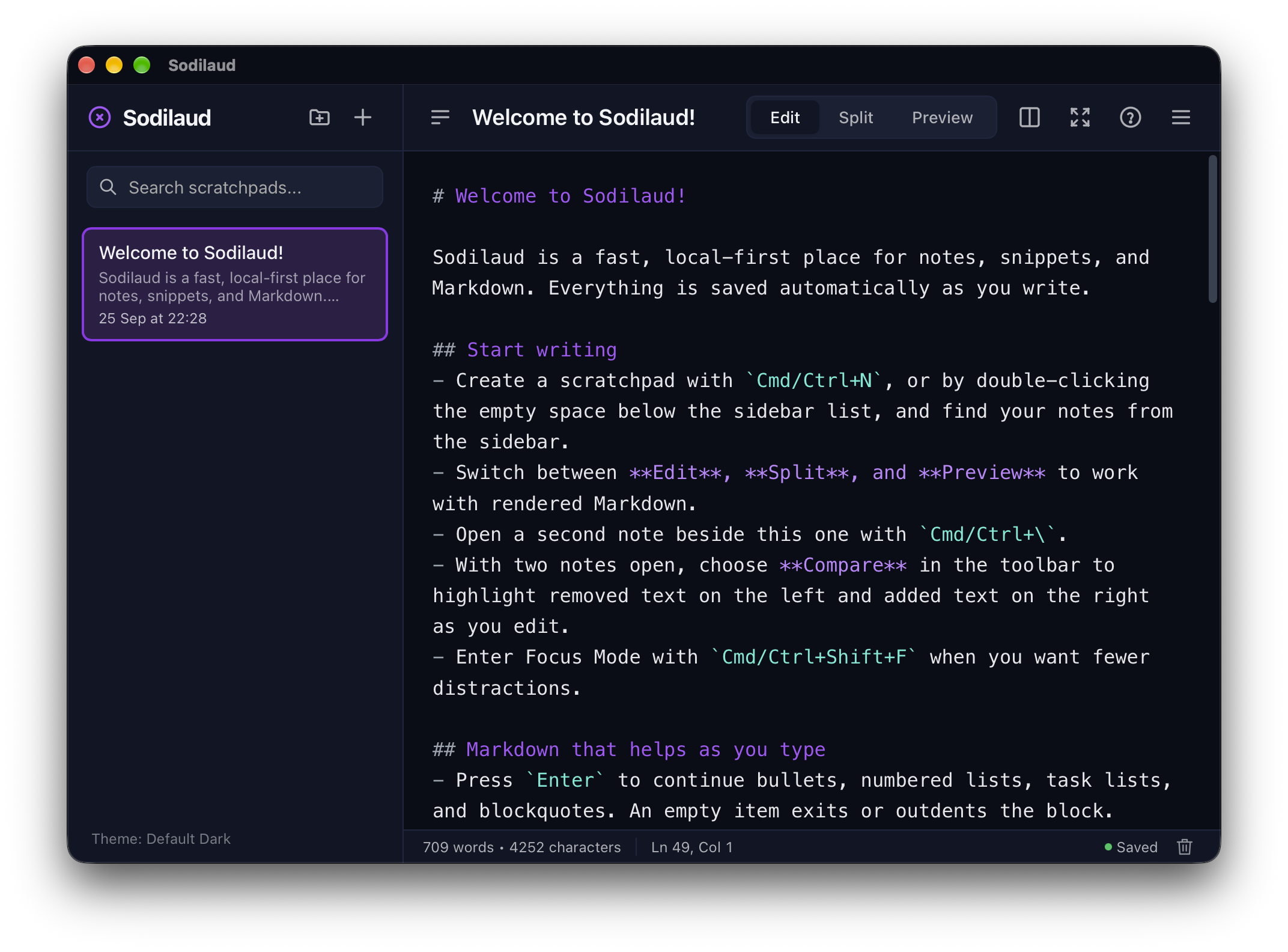
Press ⌘⇧N (Ctrl+Shift+N on Windows and Linux) in any app to show Quick Notes: every note, folder, and pin, with the full Markdown editor, in a panel that stays on top.
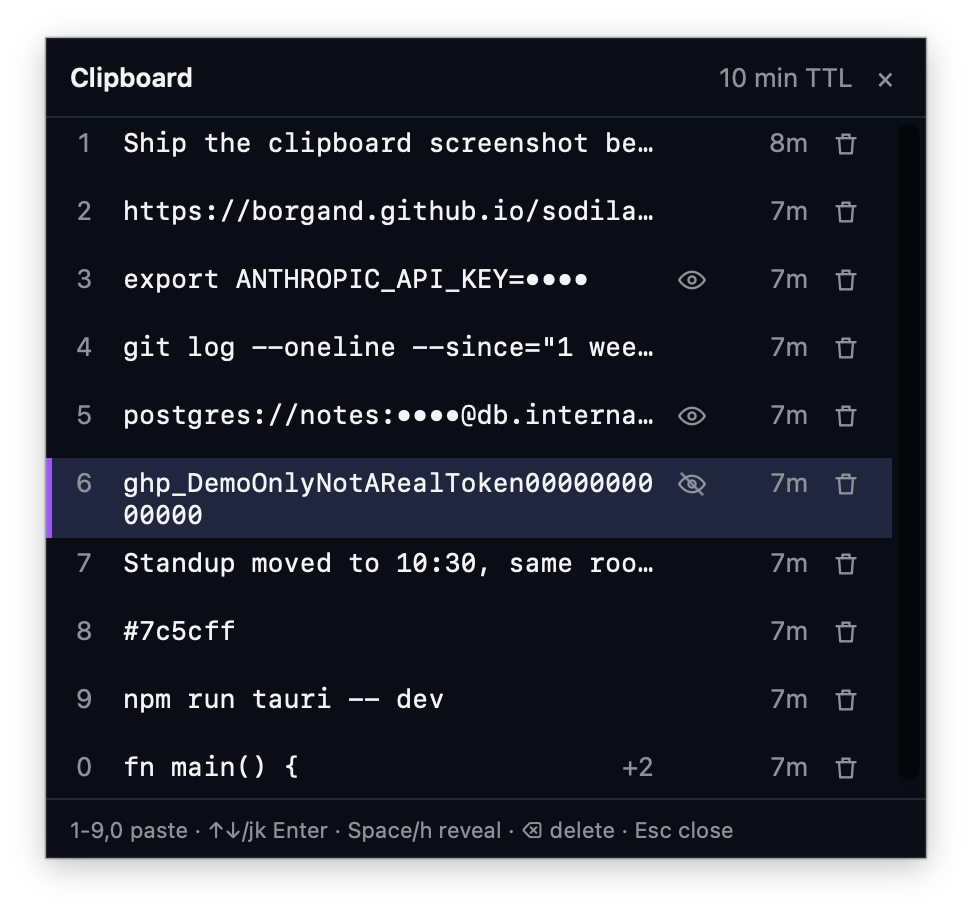
Press ⌘⇧V in any app to open your recently copied text. Pick one with a number key, the arrows, or the mouse, and it goes back on the clipboard. Sodilaud can also paste it for you.
KEY=value lines stay hidden until you reveal them.Off by default. Turn it on in Sodilaud menu → Clipboard history.
Your notes stay on your machine. Use local app storage or connect a portable workspace file you control.
Write with smart list and table helpers, right-click starter templates, optional line numbers and editor coloring, Live/Source/Reading editing modes, and language-aware code highlighting in Reading mode.
Search one scratchpad or all of them with case, exact-match, regex, highlighting, and click-to-jump results.
Choose from modern and retro themes, import your own, and settle into a distraction-free focus mode.
Choose an alternate installer or verify your download against its SHA-256 digest.
Loading the newest release notes…
Loading packages…
Sodilaud is licensed under GPL-3.0-or-later. Read the code, report an issue, or help shape what comes next.